Schedule Facebook Stories
Create, schedule, and publish Facebook Stories to your Pages from Statusbrew's Story Composer.
Who Can Schedule Stories?
You need one of these publishing permissions on the space:
Create post (needs approval)
Full publishing access
How Do I Schedule A Facebook Story?
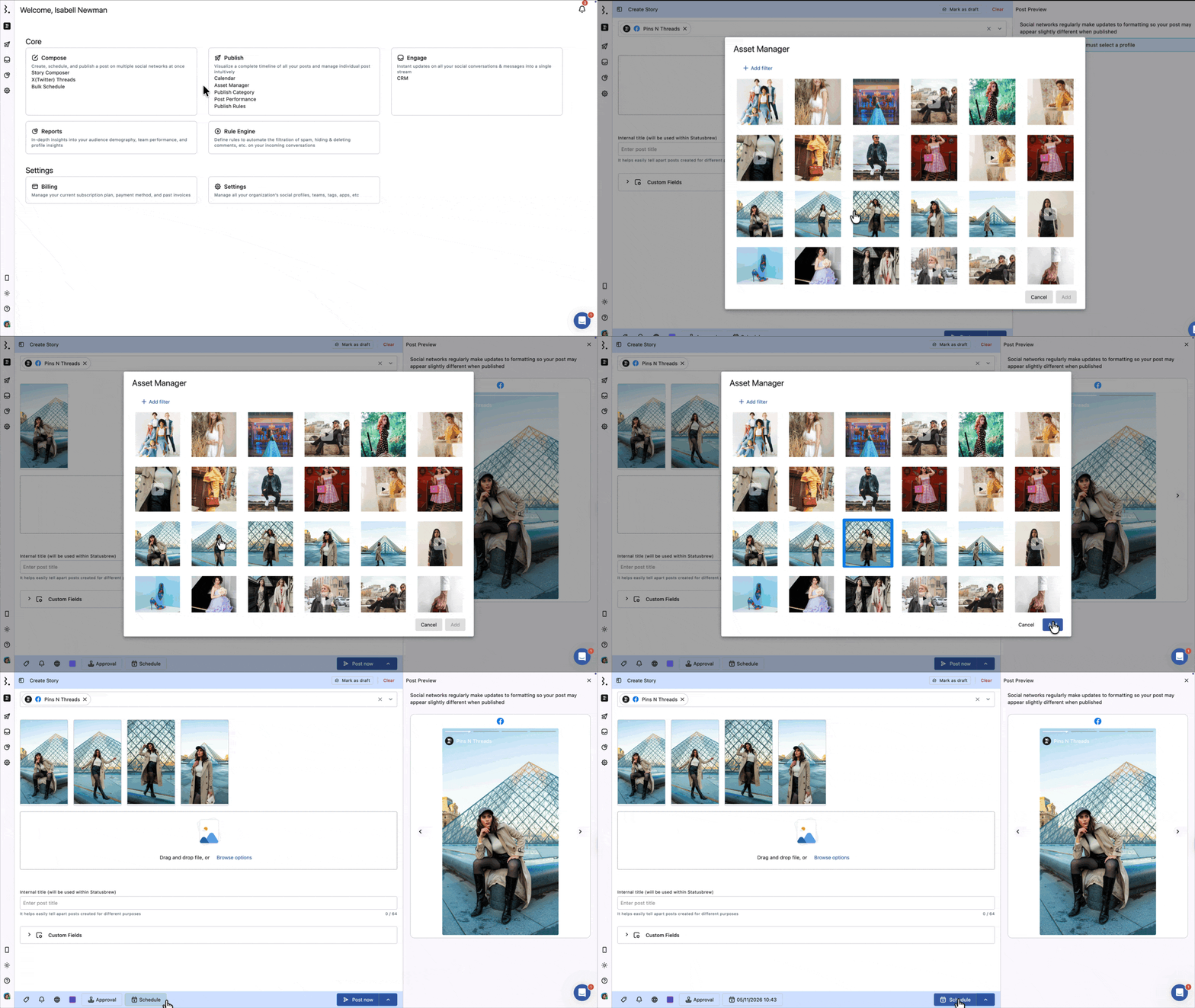
Go to Compose and click Story Composer.
Select your Facebook Pages from the Profile Picker.
Upload your images or videos. To change the order they publish in, drag a thumbnail by its bottom-right handle.
Click Choose date & time, then Post Now or Schedule. See How To Select Time To Post.
A single story can carry up to 10 images or videos in any combination.
Facebook Stories are published directly from the web app. There is no mobile reminder option, unlike Instagram Stories.
Facebook's API does not accept interactive overlays from third-party tools. Polls, Q&A, music, stickers and other effects cannot be added to a story published through Statusbrew. You can still add text and filters to the image or video yourself, using the built-in editor.
Editing Your Story Media
Stories publish at 9:16. If your image is square or landscape, fix it in the Story Composer rather than cropping it by hand first.
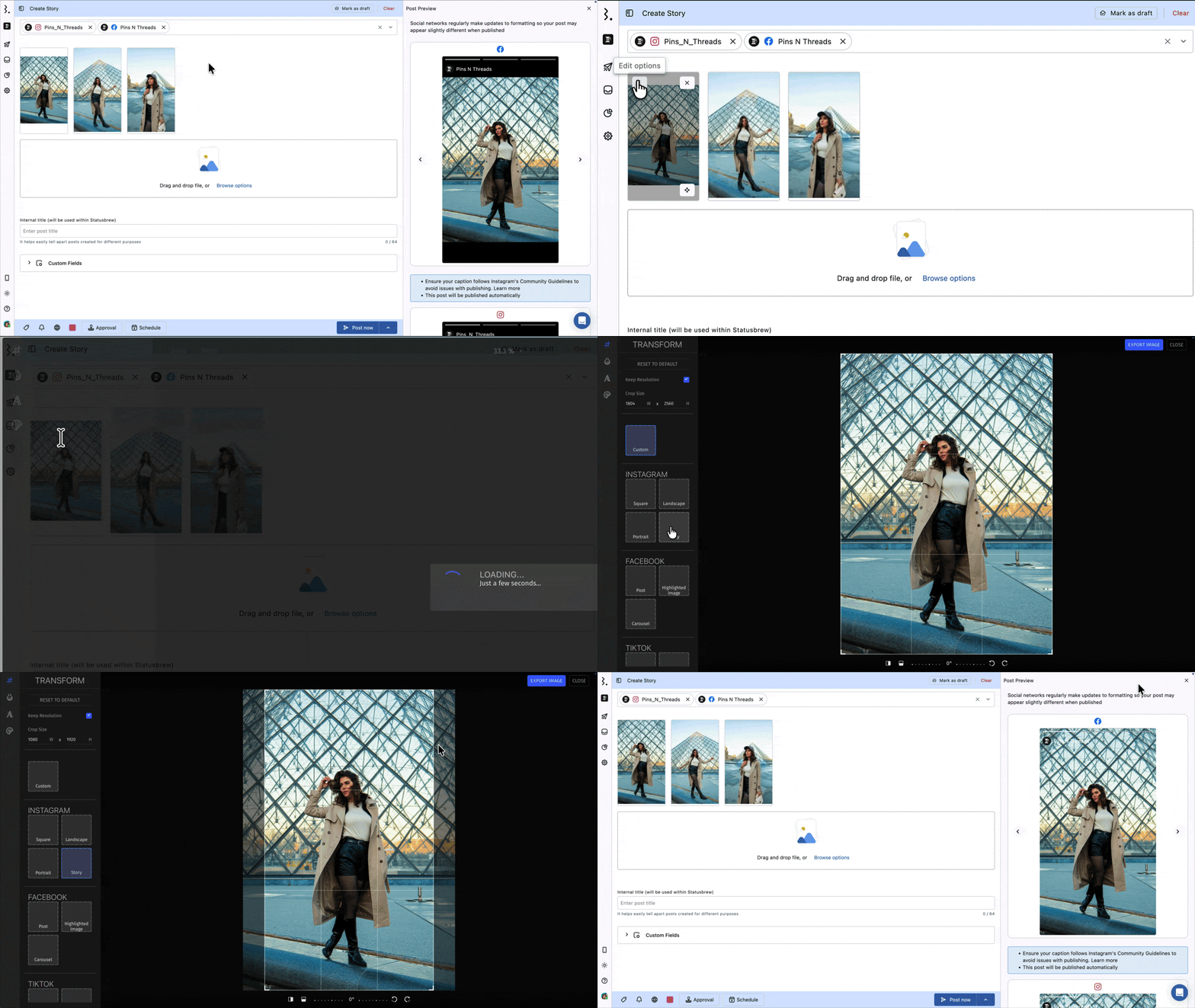
Hover over an uploaded image and click More at the top left for these options:
Edit: Opens Statusbrew's built-in image editor to change the ratio, apply filters, or add text.
Smart crop: Reframes the image to the aspect ratio each network prefers, using AI to keep your subject in frame.
To remove an image or video, click at its top right.
How To Use Smart Crop
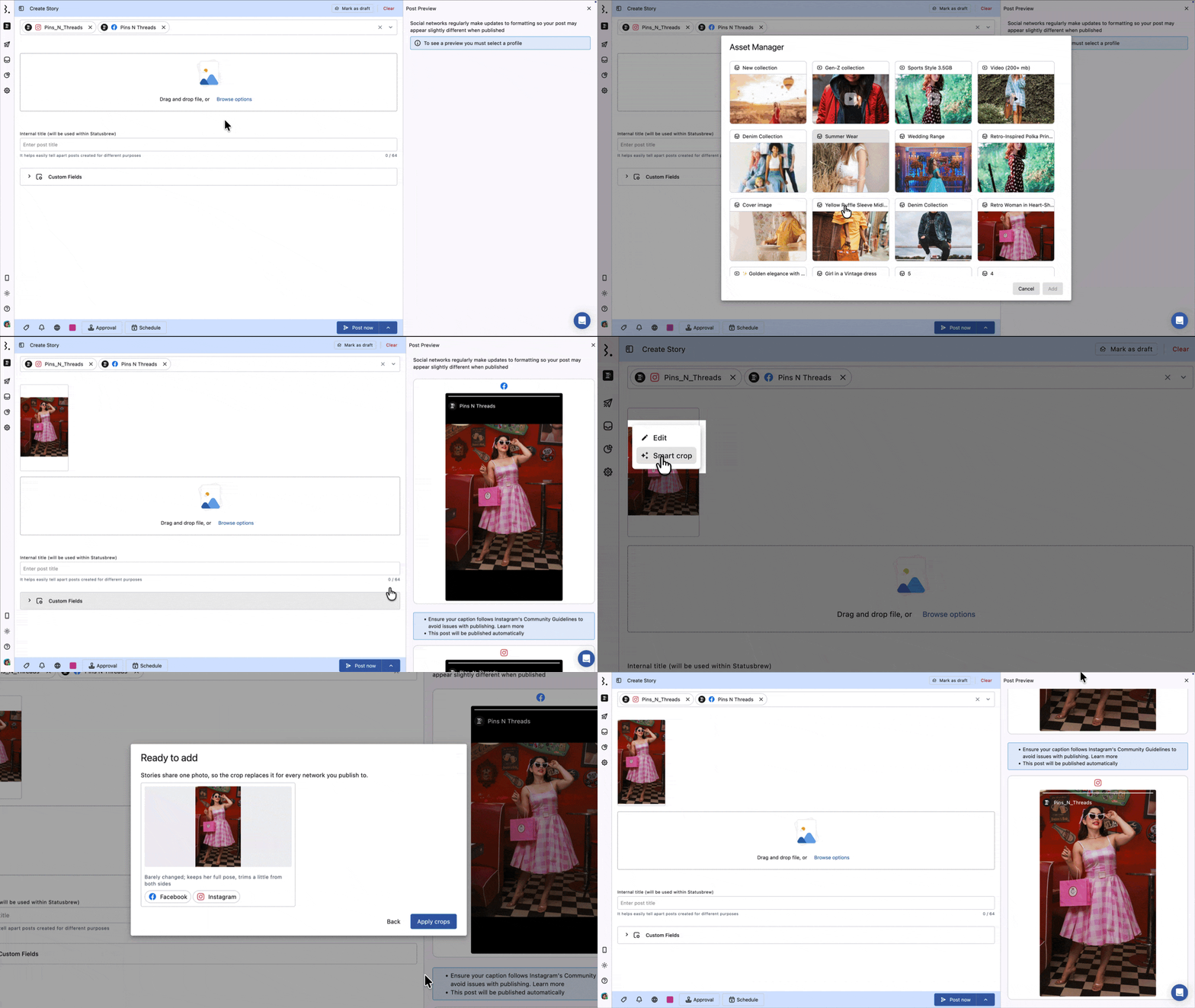
Hover over the uploaded image, click More, then Smart crop. The Smart crop for networks dialog will open.
Under Cropping for, review the networks. Statusbrew pre-selects them based on the profiles on your story. Uncheck any you do not need.
Click Generate crops.
Each network you select gets its own reframed version in that network's tab. Your Global tab keeps the original image.
Smart crop changes the framing only. It does not add filters, text or stickers. For those, use Edit.
What Else Can I Add To A Story?
Internal title, up to 64 characters, used only within Statusbrew to distinguish similar stories.
Tags, Watchers and Custom Fields.
Share access, controlling who on your team can see the story.
Post color for quick spotting in the Project.
Mark as draft, at the top right, to finish the story later.
The live Post Preview on the right of the Compose screen shows how the story will look once published.
Clear, at the top right, to empty the Compose screen and start again. Your work in progress is kept otherwise.
For story image and video formats and sizes, see Media Specifications for Different Social Networks.
FAQs
Can I Schedule One Story To Several Facebook Pages At Once?
Yes. Select every Page in the Profile Picker before you upload. After scheduling, each Page's story is a separate post, so edit them individually. See How To Edit Stories In Statusbrew.
Can I Add Polls, Music, Stickers Or Link Stickers?
No. Facebook's API does not accept them from third-party tools, so they cannot be added to a story scheduled through Statusbrew.
You can add text and filters to the media itself with Edit before scheduling. For anything interactive, publish that story from the Facebook app instead.
Can I Publish Facebook Stories Through Mobile Reminders?
No. Mobile reminders are available for Instagram Stories, Instagram Posts, and TikTok Posts only. Facebook Stories publish directly from the web app at your scheduled time, with nobody needing to act on a phone.
How Many Images Or Videos Can One Story Have?
Up to 10, in any combination of images and videos.
Can I Edit A Story After Scheduling It?
Yes. Open it from Publish, click Edit post, and the Story Composer opens with your content. You can also change the title, schedule, tags, watchers, and custom fields straight from the post detail view.
You cannot change which Pages a story goes to once it has been created. This holds for drafts too: reopening a saved draft lets you change the media and the details, but the Profile Picker stays locked.
Why Does My Story Look Cropped Or Stretched?
Facebook publishes stories at 9:16. Anything squarer or wider is fit to that aspect ratio.
Run Smart crop before scheduling so the reframing keeps your subject in view, rather than leaving it to Facebook.
Why Are Some Facebook Stories Missing From Statusbrew?
Stories cross-posted from Instagram do not sync. If you create a story in the Instagram app and use the option to share it to Facebook as well, that Facebook story will not appear in Statusbrew, because Meta's API does not expose cross-posted stories to third-party tools.
Stories published straight to Facebook, including those scheduled through Statusbrew, do sync.
What Formats And Sizes Do Stories Support?
See Media Specifications For Different Social Networks for the current formats, file sizes, and video lengths.