How To Schedule A Post At Different Times Per Profile?
Use Different times per profile in Compose to publish the same post at a different time on each selected profile. You can also give one profile several times, so the same post goes out more than once.
When you pick two or more profiles, the post saves as one Post Group, with one post for each profile and each time. If you pick Separate posts in the toggle at the top of Compose instead, each profile's post is saved on its own.
Who Can Do This?
Full Publishing or All: You can set times, schedule and publish posts on that profile.
Create Post (Needs Approval): You can create the post, but you must send it for approval before it can go live.
Plans: Compose and scheduling are available on all plans. Approval workflows are available on Premium and above plans.
How To Schedule A Post At Different Times Per Profile
Go to Publish and click Create post. Select two or more profiles and write your post.
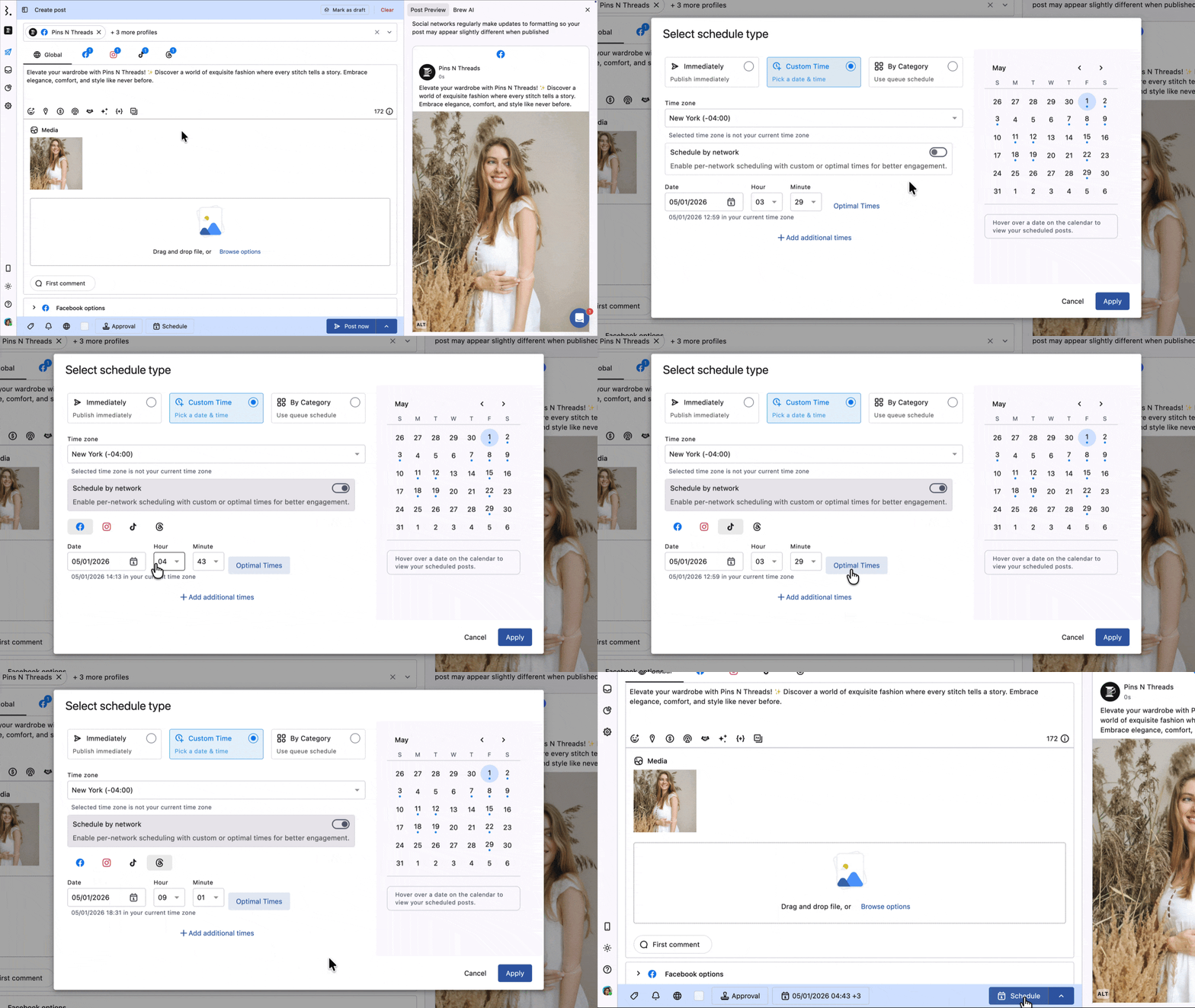
Click Immediately at the bottom of the Create post window. The Select schedule type window opens.
Choose Custom time and check the Time zone at the top. One time zone applies to all selected profiles.
Turn on Different times per profile. Each selected profile now gets its own card with its own times.
On each profile's card, click Add time and pick the date, hour, minute and AM/PM.
To use one profile's times as a starting point, set them on that profile and click Apply to all profiles on its card. Every other profile gets all of that profile's times. Then change the profiles that need a different time.
Click Apply. The schedule button now shows a summary, such as "3 profiles · 5 upcoming", and the main button changes to Schedule.
Click Schedule. If the post needs review, click Approval first, choose Use Workflow, pick the Workflow name and click Save. The main button then reads Send for approval.
Times must be at least 15 minutes from now. A sooner time shows "Pick a time at least 15 minutes from now." A time that has passed shows "Pick a time in the future.", the profile's card shows "Time has passed" and a red "N profiles need attention" message appears at the top.
Every profile needs at least one time before you can click Apply. An empty time row shows Select a time. If you turn Different times per profile off, every profile takes the first profile's times.
Publish The Same Post More Than Once On A Profile
Click Add time to give a profile another time slot. The same content then publishes at each time you add.
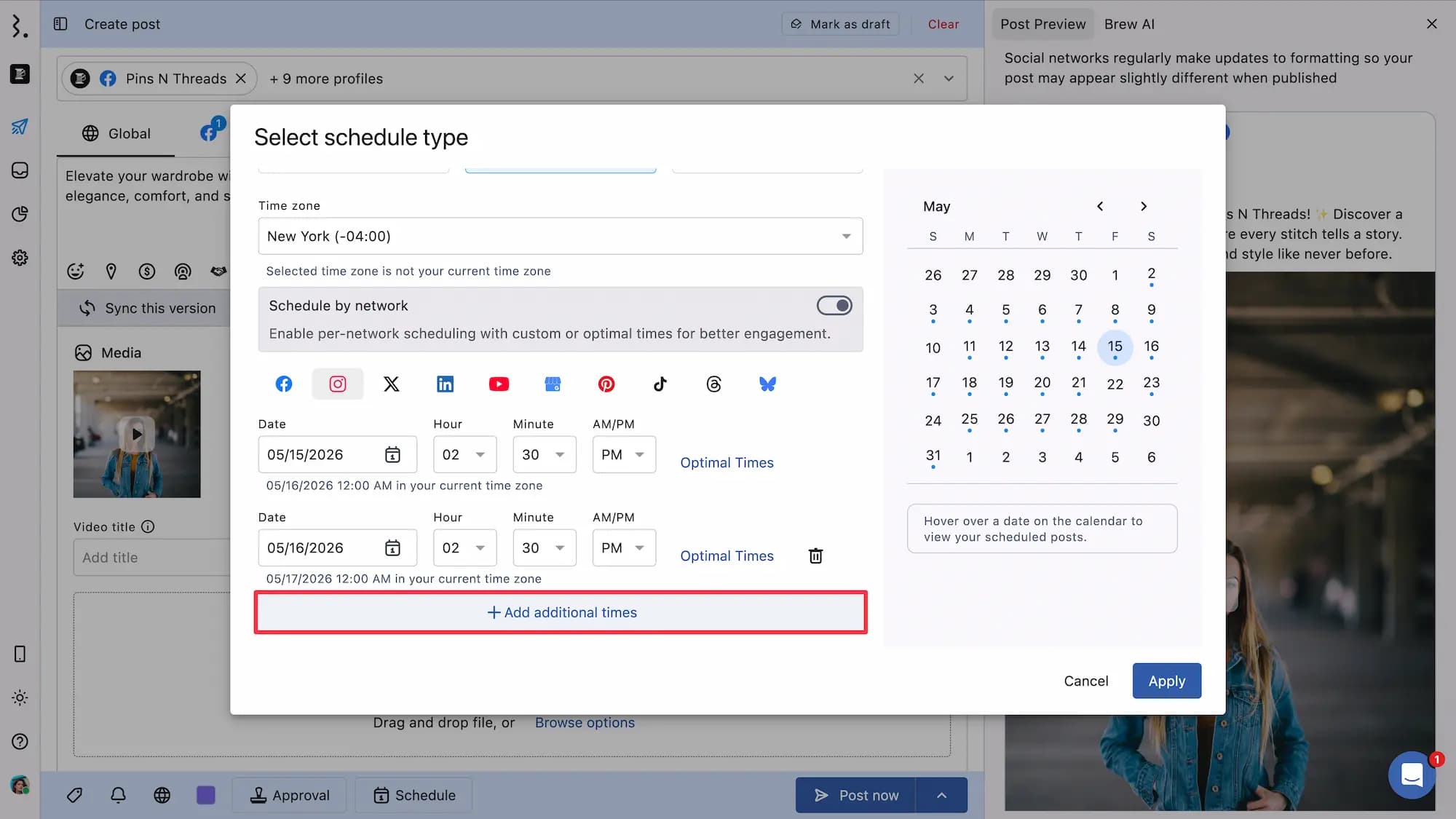
With Different times per profile off: There is one card, "All N profiles". Add time on it adds the slot for every selected profile.
With Different times per profile on: Add time on a profile's card adds a slot for that profile only.
Each time becomes its own post inside the Group, so a profile with three times has three posts.
Use Optimal Times
Each time row has an Optimal Times icon. Click it to see the best times to post for that profile. Suggestions are per profile, so two profiles can show different times.
Optimal Times are based on each profile's past data. If a profile has no suggestions, you see "No optimal times available for the selected date." Learn more in Optimal Send Times.
What Happens After You Schedule
One Group: A post for two or more profiles saves as one Post Group, however many times it has, unless you pick Separate posts. A post for one profile is a normal post, not a Group.
One post per time: The Group holds one post for each profile and each time. Each post publishes at its own time.
Approval: If the Group goes through an approval workflow, approvers approve or reject the whole Group in one action, not each time separately.
Drafts: Turn on the Mark as draft switch at the top of Compose, then click Save as draft, to save without times. You need a time for every profile only when you schedule.
Change The Times Later
Open the Group and click Edit group (pencil). Compose opens with the title Edit "<group name>".
Click the schedule button at the bottom of Compose. The schedule window opens with each profile's times kept.
Change the times, click Apply, then save with the main button (for example Schedule or Send for approval).
If a profile has several times in the Group, changing one of those times replaces that post. Its comments, Activity and approval don't carry over to the new post.
You can also change the time on one post on its own, from its Scheduled At time. Statusbrew first asks Remove from "<group name>"? Click Save changes to take the post out of the Group, or Cancel to keep it. Other edits to one post, like its caption, keep it in the Group. A post can't rejoin a Group once it leaves.
FAQs
What Happened To Schedule By Network?
Different times per profile replaced it in the new Compose. You now set times per profile instead of per network, so two profiles on the same network can publish at different times.
Why Can't I Click Apply?
At least one profile has no time. Add a time for every profile, or turn off Different times per profile to use one time for all of them.
Why Can't I Schedule My Group?
The same rule applies: every profile in the Group needs at least one time. Open the schedule, add a time for each profile, or save the Group as a draft.
If some posts' times have already passed and they have no new time, saving shows "2 posts need a new time" (with the number of posts). Click Go back, pick new times or choose Immediately, then save the Group.
Can I Schedule The Same Post To Publish Multiple Times?
Yes. Choose Custom time and click Add time for each extra slot. Turn on Different times per profile if only some profiles need the extra times.
Is My Post Split Into Separate Posts?
Not unless you choose Separate posts in the toggle at the top of Compose. Otherwise it stays one Post Group. Inside the Group, each profile and time has its own post, so you can edit, approve or delete them together.
Why Did The Comments And Approval Disappear From One Of My Posts?
You changed one of several times on the same profile. That replaces the post, and comments, Activity and approval don't carry over.
Can I Approve Each Time Separately?
No. A Group is approved or rejected as a whole, whatever times its posts have.
Why Don't I See Optimal Times For A Profile?
Optimal Times come from the profile's past data. If you connected the profile recently, there may not be enough data yet.