Widget Sorting
Statusbrew's advanced social media analytics not only allows you to create fully custom reports configured with over 250 KPIs and a wide range of analytical axes, but also provides advanced filtering and sorting functions to extract data that meets more specific conditions.
The difference between sorting and filtering
Sort
Sorting is a feature that lets you set the order of your data. It sorts data in ascending (ASC) or descending (DESC) order according to a specified criterion. For example, you might want to sort by the least or most specific number of posts.
Example : Sort "Competitor Post Total" in ascending (ASC) or descending (DESC) order to change the order of the data.
Filter
Filters are used to filter data based on specific conditions. They are used to display only data that meets certain criteria.
You can apply a filter to view data only for a specific time period or for a specific activity.
For example, add a filter such as "Post Profile Visits" or "Post Total Interactions" to display only data that meets the specific criteria.
In other words,
Sorting is used to change the order in which data is displayed.
Filters are used to select data that meets specific criteria and display only that data
How to use sort
Sorting is a feature that allows you to arrange data in a specific order. By using sorting, you can organize data in ascending (lowest to highest) or descending (highest to lowest) order.
Select the data you want to sort by: Select the data item you want to sort by, for example, the number of posts or engagements.
Select sort order : Choose ascending (ASC) or descending (DESC) sort order.
Ascending (ASC) : Sorts from smallest to largest value.
Descending (DESC) : Sorts values from highest to lowest.
Apply a sort : Applying a sort to the selected data will rearrange the data in the order you specify. This makes it easier to analyze the data, for example, by displaying the "most engaging posts" at the top.
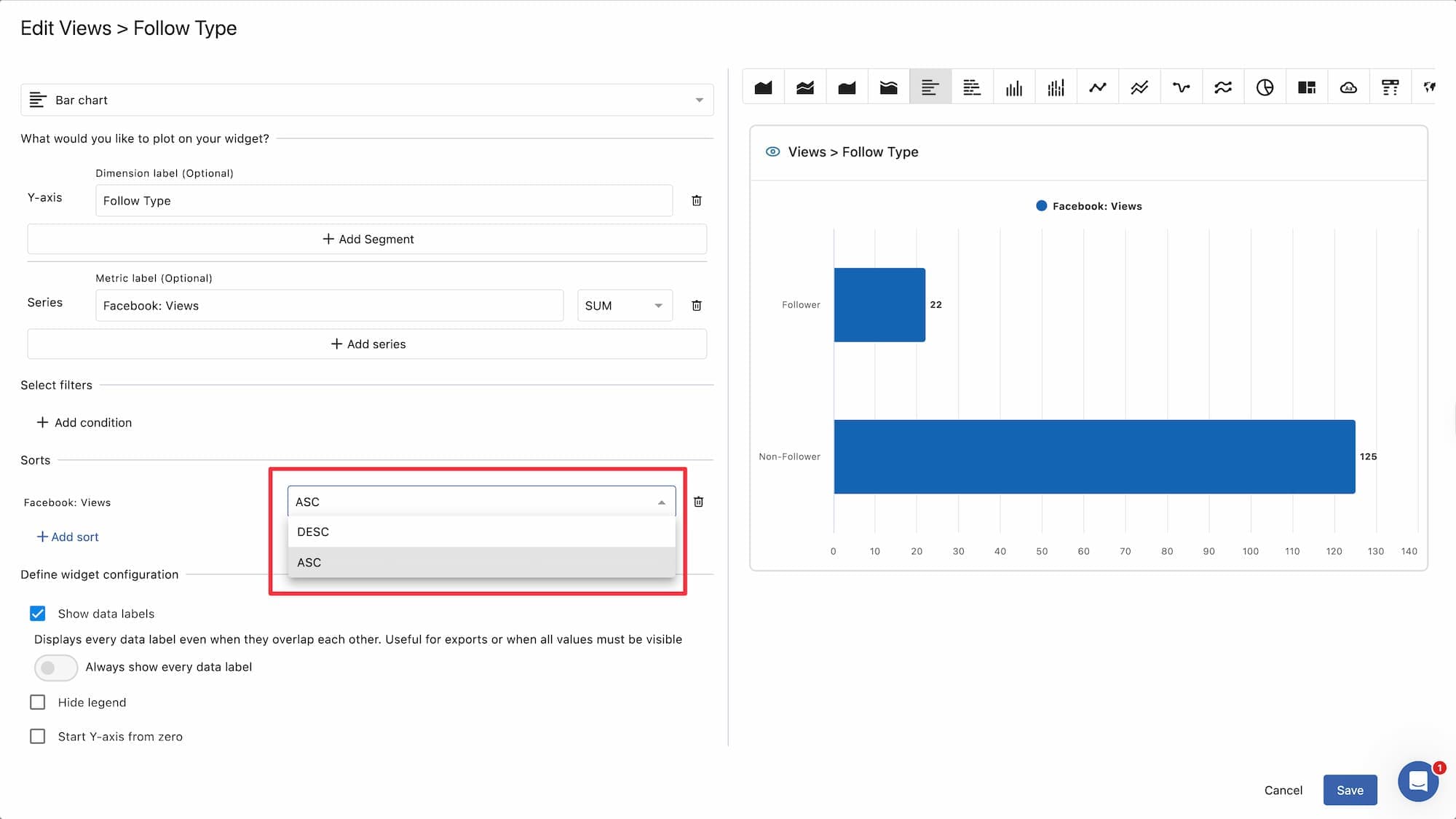
example:
Number of posts
Sorting in ascending order (ASC) displays data from least posts to most posts.
Engagement count
Sorting by descending order (DESC) displays data from most to least engagement.