Engage Settings
Control how comments and private messages from the same person are grouped into conversations in your Engage inbox.
What Conversation Grouping Does
Every comment, DM, mention, and review from your connected profiles is delivered to the Engage inbox as a conversation. Conversation grouping determines where a new incoming message goes: into an existing conversation or a brand-new one.
Statusbrew gives you two separate grouping settings. One controls comments on your posts. The other controls private messages. You set them independently, so you can group comments one way and DMs another.
Both are set to By contact by default.
Who Can Change These Settings
Admins and Owners can change Engage settings. Users below Admin level can't edit them.
The setting applies to everyone working in that inbox, not just the person who changed it.
Comment Grouping: By Contact Or By Comment
This setting applies to comments on your posts.
Comments nest. A top-level comment is the parent, and any replies beneath it are its children. This setting determines whether a parent and its replies remain together as a single conversation or are split into separate conversations.
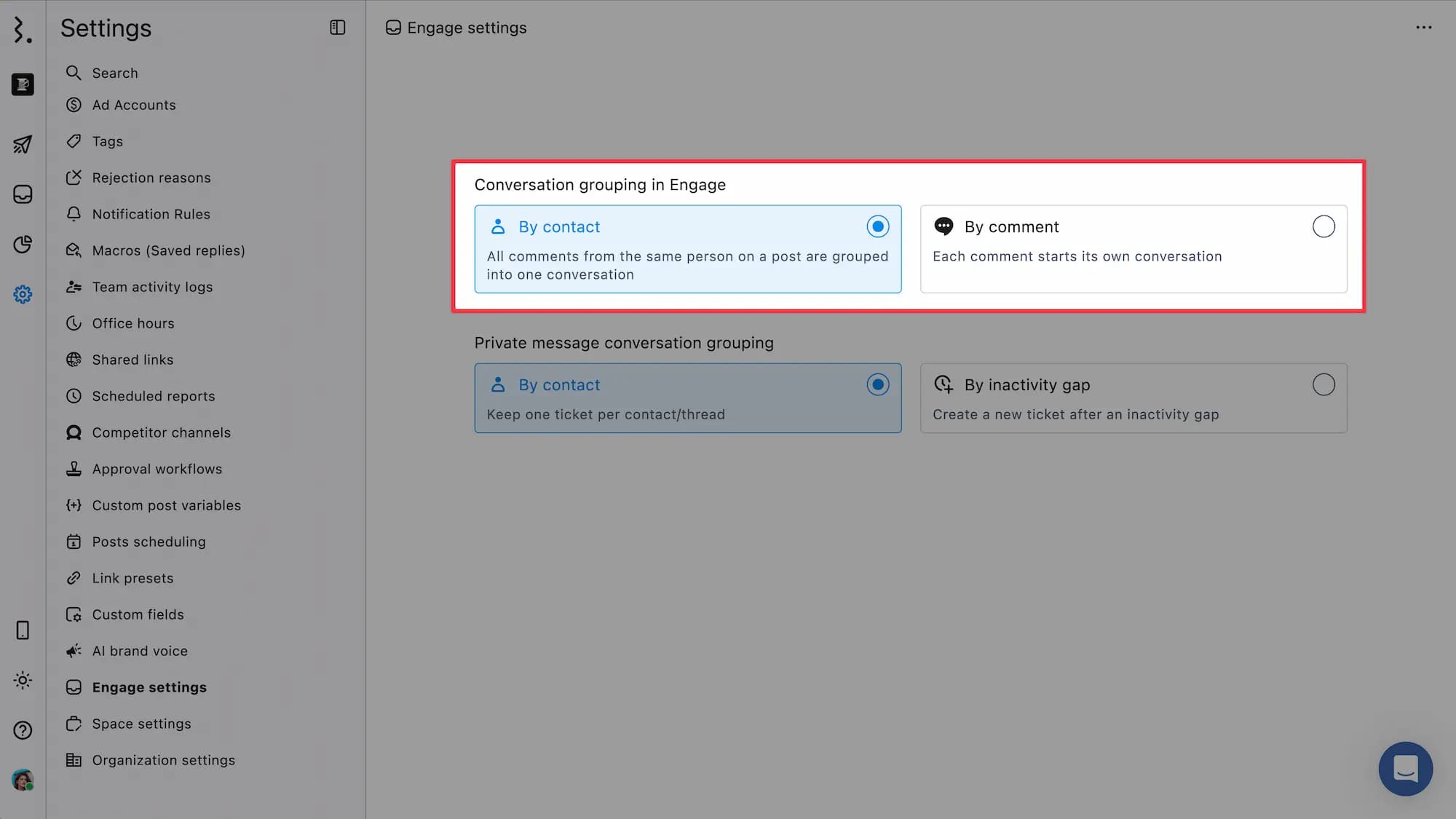
By Contact
All comments from the same person on the same post are grouped into a single conversation, including their replies to a parent comment.
If someone leaves three comments on one post, all three appear inside one conversation thread instead of three separate items in your conversation list.
Choose this when you want all the context from one person on one post in a single place.
By Comment
Each comment starts its own conversation, even when the same person comments repeatedly on the same post.
Three comments from one person on a post become three conversations in your inbox. A reply to a parent comment works the same way: it opens a new conversation ticket instead of joining the parent's.
Choose this when every comment needs to be tracked as its own ticket for assignment, resolution, or reporting.
Private Message Grouping: By Contact Or By Inactivity Gap
This setting applies to direct messages and private conversations.
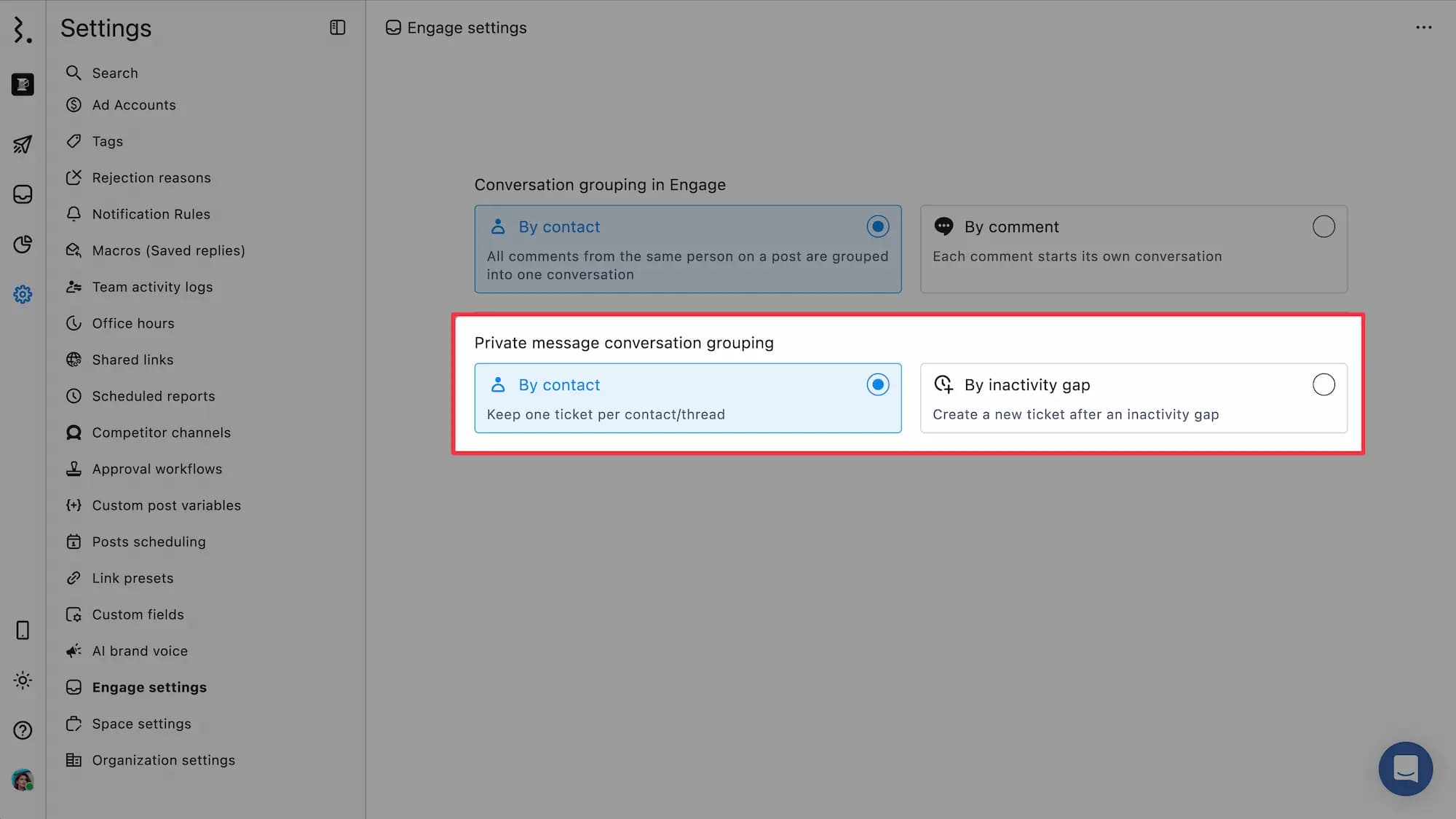
By Contact
One ticket per contact, per thread. Every message that person sends stays in the same conversation, no matter how much time passes between messages.
Choose this when you want the full message history for a contact to live in a single continuous thread.
By Inactivity Gap
The timer counts the number of days without replies in the thread. When the contact writes back to you after that many days, their message opens a new ticket instead of continuing the old conversation.
You set the window yourself. Selecting this option reveals an Inactivity gap (days) field. Enter any number between 1 and 365. The field is required, so you can't save this option without a value.
Choose this when each new inquiry should be tracked, assigned, and reported on separately, as with support tickets.
How To Change Your Grouping Settings
Go to Settings.
Click Engage settings.
Under Conversation grouping in Engage, select By contact or By comment.
Under Private message conversation grouping, select By contact or By inactivity gap.
If you selected By inactivity gap, enter a number of days in Inactivity gap (days). Any whole number from 1 to 365 works.
Your choice saves as soon as you select it. There's no Save button on this page.
Both settings sit on the same page. Changing one does not affect the other.
What Happens After You Change A Setting
Grouping is set per space. Changing it in one space leaves your other spaces untouched.
The change applies going forward. New conversations follow whichever grouping rule is active when the message arrives.
Conversations already in your inbox keep the grouping they were created with. Switching from By comment to By contact doesn't merge existing conversations, and switching the other way doesn't split them.
Grouping affects your reporting. Under By comment, three comments from one person count as three conversations in Engage reports. Under By contact, they count as one. Switch deliberately if you track conversation volume or resolution time.
Which Option Should You Pick
You want to | Comment grouping | Private message grouping |
|---|---|---|
See everything one person said in one place | By contact | By contact |
Treat every message as its own support ticket | By comment | By inactivity gap |
Assign each comment to a different team member | By comment | Not applicable |
Measure conversation volume by person, not by message | By contact | By contact |
FAQs
Does Changing Conversation Grouping Affect Conversations Already In My Inbox?
No. Existing conversations keep the grouping they were created with. The new rule applies only to messages that arrive after you change the setting.
Is The Setting Applied To My Whole Organization Or Just One Space?
Just the space you're working in. Each space has its own Engage settings. If you manage several spaces, set the grouping in each one separately.
Can I Set Different Grouping Rules For Different Social Profiles?
No. Each grouping setting applies across all connected profiles in the space. You cannot group Instagram comments one way and Facebook comments another.
How Long Is The Inactivity Gap Before A New Ticket Is Created?
You choose. Selecting By inactivity gap reveals an Inactivity gap (days) field. Enter any number between 1 and 365. Once the thread has gone that many days without replies, the contact's next message opens a new ticket.
Why Am I Seeing Three Separate Conversations From The Same Person On One Post?
Your comment grouping is set to By comment. Each comment starts its own conversation under that setting. Switch to By contact in Settings > Engage settings to group them into one thread.
Why Did An Old DM Thread Come Back As A New Conversation?
Your private message grouping is set to By inactivity gap. When a contact writes back after the thread has been quiet for longer than your gap setting, Statusbrew opens a new ticket instead of continuing the old one. Switch to By contact if you want one continuous thread per contact.
Does Grouping Change How Bulk Actions Work?
Bulk actions apply to conversations, not individual messages. Under By comment, closing five conversations closes five comments. Under By contact, closing one conversation closes every comment from that person on that post.
Can A Regular User Change Conversation Grouping?
No. You need Admin or Owner access. If you can't find Engage settings under Settings, ask an Admin or the Owner of your space to change it for you.
Which Grouping Is Set By Default?
By contact, for both settings. Comments from one person on a post appear as a single conversation, and each contact keeps a single message thread until you change it.