How To Delete A Space In Statusbrew
Delete a Space you no longer use from Settings → Space settings in Statusbrew, after you remove its social profiles. Deleting a Space is permanent.
Who Can Delete A Space?
Only Primary Owners and Owners can delete a Space.
Before You Start
Download any reports you want to keep. Reports and all other data in the Space are deleted with it.
Tell your team. Everyone assigned to the Space loses access to it.
Remove every social profile from the Space. You can't delete a Space while profiles are still connected to it.
Step 1: Open Space Settings
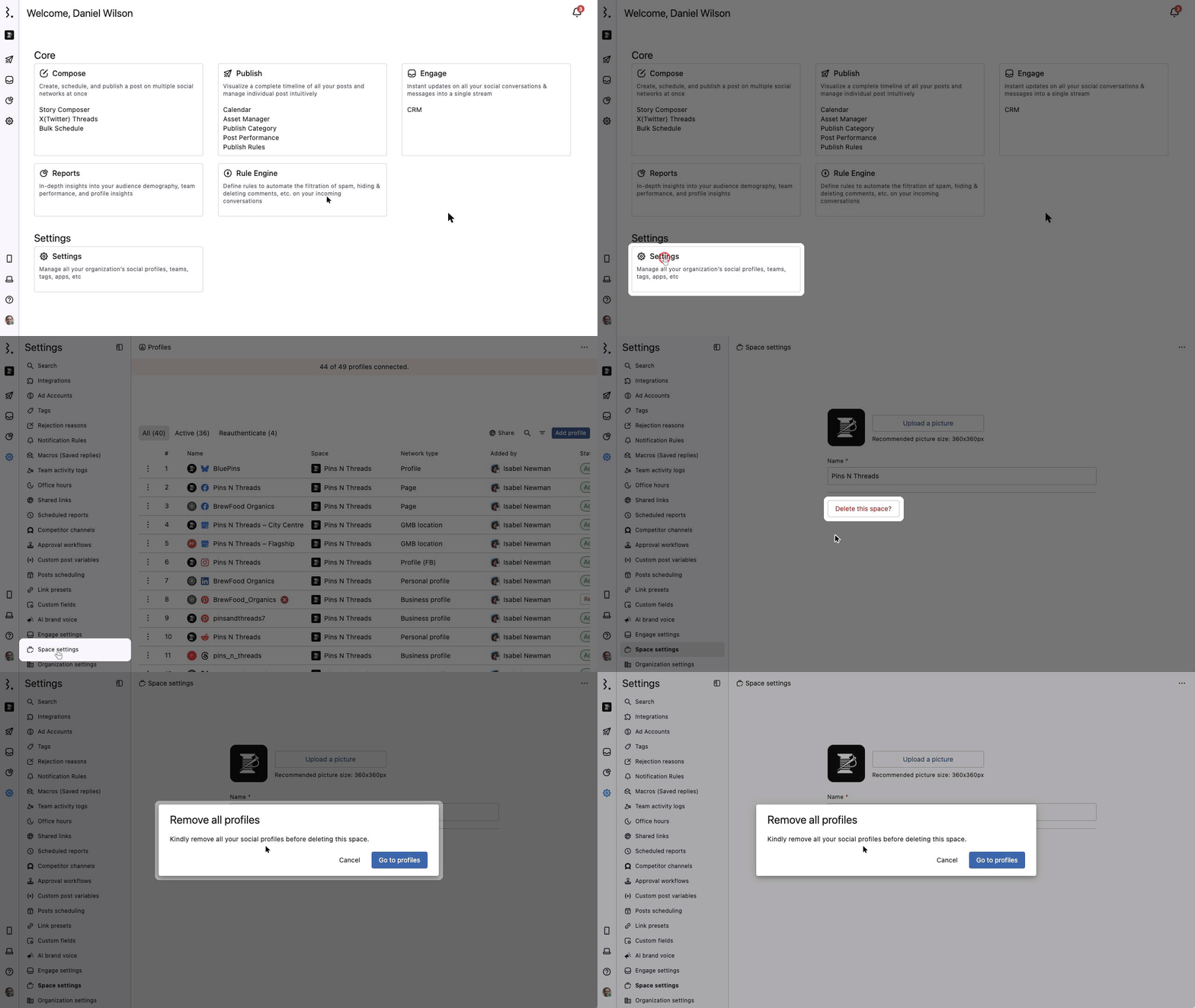
Go to Settings and click Space settings at the bottom of the Settings menu.
Under the Space name, click Delete this space?
If the Space still has profiles, the Remove all profiles message appears: "Kindly remove all your social profiles before deleting this space."
Step 2: Remove All Profiles
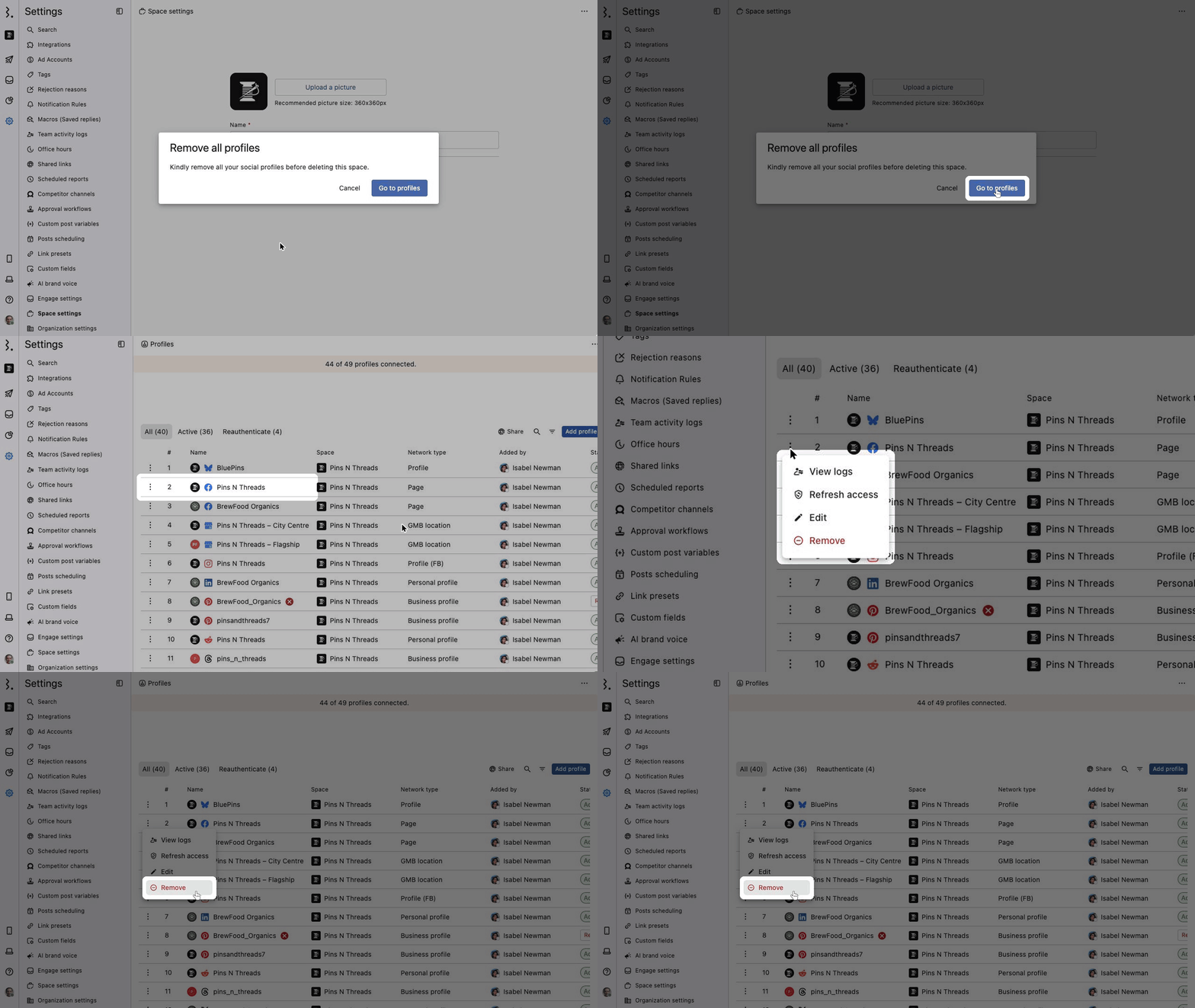
In the Remove all profiles message, click Go to profiles. The Profiles page opens.
Click More (three dots) next to a profile and select Remove.
Confirm in the Remove profile dialog. Repeat for every profile in the Space.
Tip: The Profiles page can list profiles from all your Spaces. Check the Space column so you only remove profiles connected to the Space you want to delete.
Warning: Removing a profile deletes all data related to it, including its Reports.
Note: If the Space has no connected profiles, skip this step. Delete this space? takes you straight to the delete confirmation.
Step 3: Delete The Space

After you remove all profiles, go back to Settings → Space settings and click Delete this space?
The Delete this space? dialog asks you to confirm. All data in the Space, like tags, macros and rules, is deleted.
Click Delete to delete the Space from your Statusbrew organization.
Warning: Deleting a Space cannot be undone. Click Cancel if you are not sure.
What Happens After You Delete A Space?
You see "Space deleted successfully".
The Space and its data, like tags, macros, rules and reports, are deleted for good.
Everyone who was assigned to the Space loses access to it. Your other Spaces are not affected.
Unable To Delete A Space?
Make sure you are signed in as a Primary Owner or Owner.
Make sure you removed every social profile from the Space. If any profile is left, you see the Remove all profiles message instead of the delete confirmation.
FAQs
Can I delete a Space myself, or does Statusbrew need to do it?
You can do it yourself if you are a Primary Owner or Owner. Remove the Space's profiles, then go to Settings → Space settings and click Delete this space?
Can I get a deleted Space back?
No. Deleting a Space is permanent, and its tags, macros, rules and reports cannot be restored. Download any reports you need before you delete it.