NewEngage & Inbox
Internal Tags Can Now Be Bulk Removed In Engage 🔖
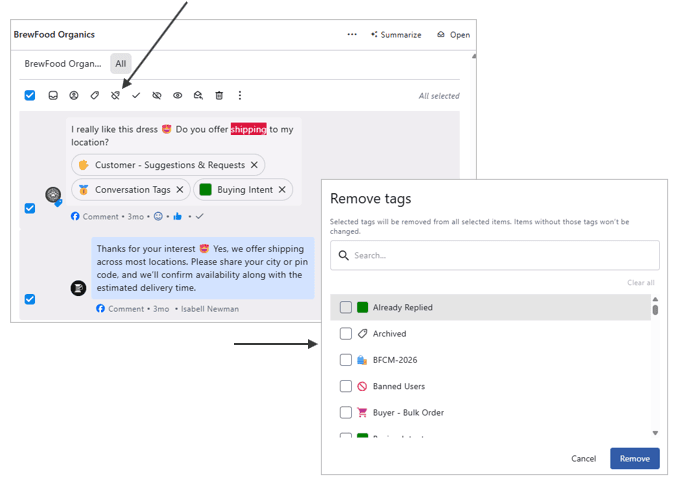
Multiple internal tags across several messages can now be removed at once in Engage.
How to set it up 👉 Engage → Open any conversation → Switch to the All tab → Select multiple messages → Click the Remove Tags icon → Select the internal tags to remove → Click Delete.
Learn more: Bulk Actions On Conversations
This allows you to remove internal tags from multiple messages in one go — particularly useful when tags have been mistakenly added in bulk.