The Number Of Times Shared Links For Reports And Projects Have Been Viewed By External Users Can Now Be Tracked
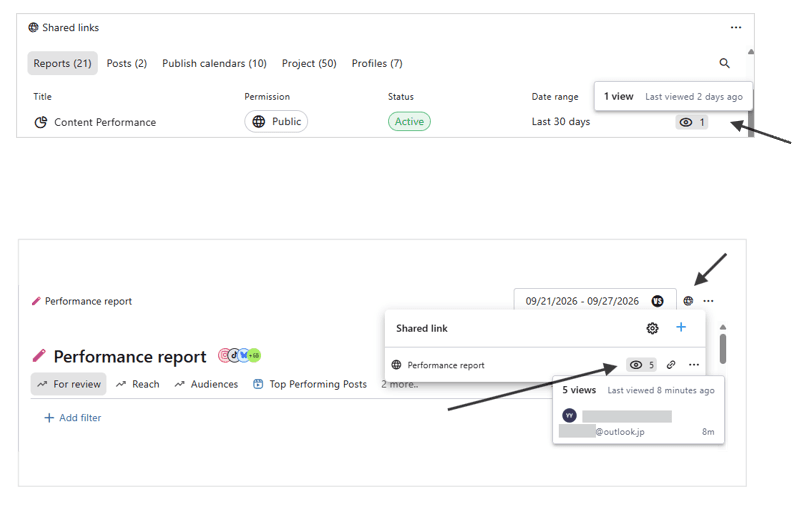
The view count and last viewed date for report and project sharing links opened by external users are now displayed.
How to check 👉 Settings → Shared Links → Select Reports or Projects → The view count is displayed in the Views column.
Or :
Each report or project → Sharing link icon in the top right → Hover over the 👁 icon of any shared link.
Hovering over the view icon displays the following:
Last viewed date
Name of the viewer (only shown when the link was opened by an external user who was invited as a "recipient")
Notes:
Anonymous external viewers (external users who accessed the link via a shared URL rather than as an invited recipient) are counted in the view count, but their names are not displayed.
Views by internal Statusbrew users are not counted.
If the same user views the link again within 4 minutes, it is counted as one view.