NewReports & Analytics
Report Widgets Can Now Be Duplicated To Other Reports And Sections 📈
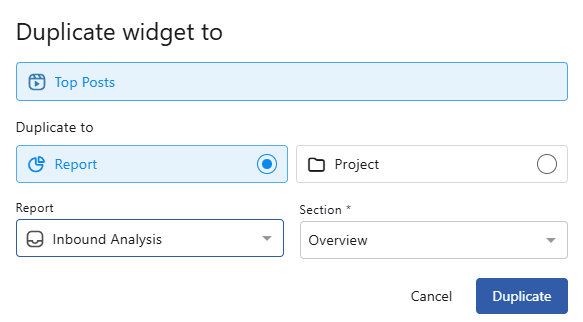
When duplicating a report widget, you can now select another report or section as the destination. Previously, widgets could only be duplicated within the same section — this update makes it easy to reuse widgets across multiple reports.
How to duplicate 👉 Click the three-dot menu on any report widget → Duplicate Widget → Select the destination Report.
To duplicate to Another Section (within the same report): Select the desired section.
To duplicate to Another Report: Select the desired report and section.
Once duplicated, you will be automatically taken to the destination page.