ImprovementAssets
Multiple Assets Can Now Be Uploaded At Once In Asset Manager
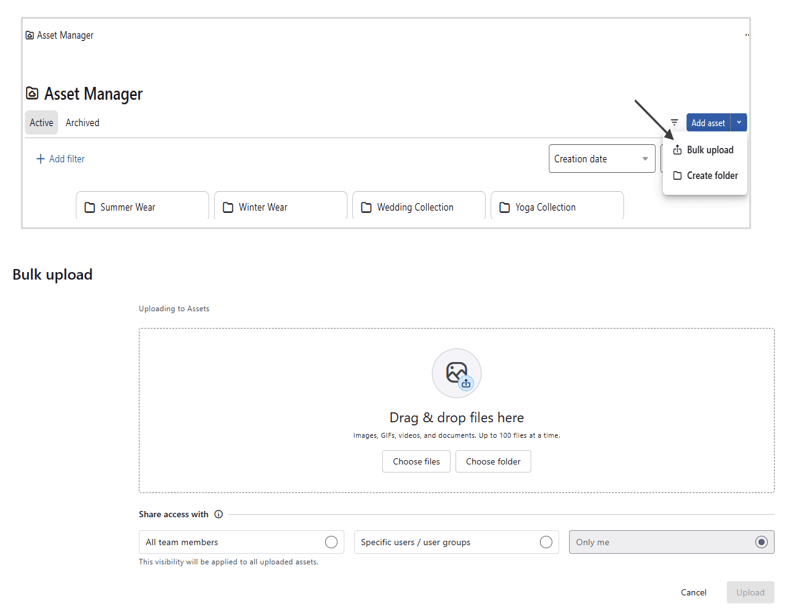
You can now upload multiple assets at once in Asset Manager.
Supports images, videos, GIFs, and documents
Upload up to 100 files in a single upload
Upload large numbers of assets at once with upload success and failure status displayed for efficiency.
How to set it up 👉 Asset Manager → Click the downward arrow next to "Add Asset" → Select Bulk Upload → Switch to the dedicated upload screen and upload your files.