ImprovementCompose & Publishing
Media-Specific Error Messages Now Display When Uploading Multiple Files with Format or Aspect Ratio Issues
Previously, when uploading multiple media files, if any file had an issue, only a generic error message was displayed, and you could not identify which specific item had the problem or what the issue was.
This has been improved to display which specific media file has what issue, allowing you to resolve problems more quickly and easily!
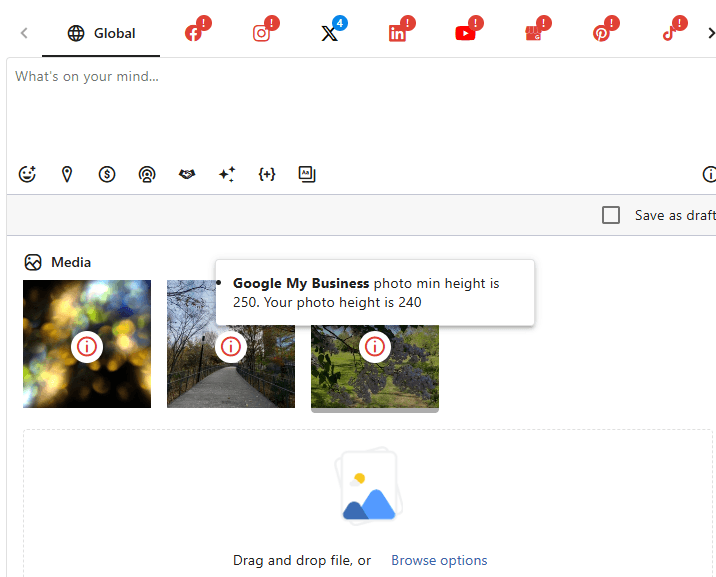
When a media file has an error, an icon appears in the center of that media item. When you hover your cursor over the icon, it displays the reason for the error.