NewPlanner
Keyword Search For Posts And Events Is Now Available In Planner🔍
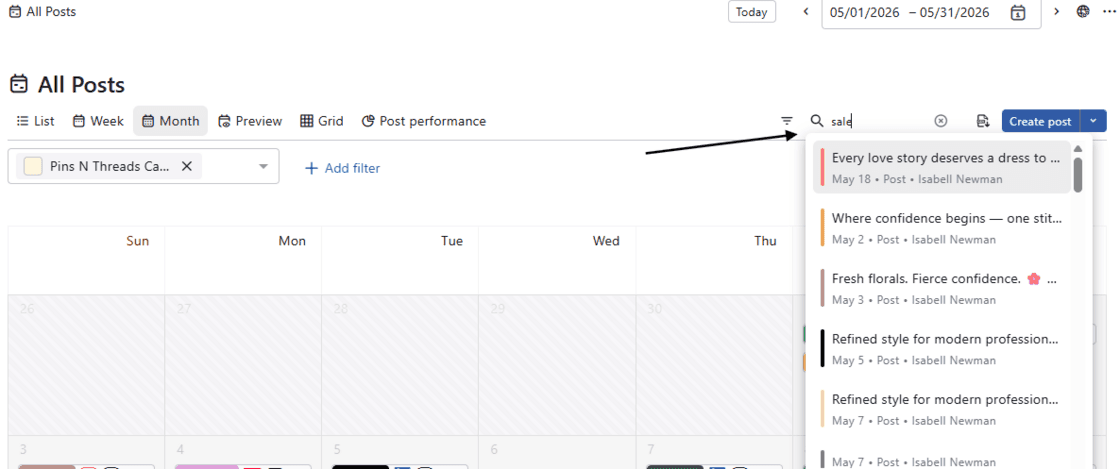
In Planner, you can now search for posts and events by specific keywords across all posts and boards to quickly access the content you need. No more scrolling through countless posts — find what you're looking for instantly!
Go to Planner → Select any menu such as All Posts or Boards from the left sidebar → Click the magnifying glass icon in the top right corner → Enter a keyword → As you type, suggestions will appear in a dropdown — simply click on the item you want.
This search feature is available on the following screens: All Posts, Shared With Me, Drafts, Needs Approval, Rejected, Failed, Recalled, Past Reminders, and Boards.