NewSettings & Team
Introducing Invitation For Guest Users When Connecting Profiles During Onboarding🤝
During onboarding, when you connect social profiles to Statusbrew for the first time, you can now invite guest users. Complete the necessary setup on the initial configuration screen without switching to other pages.
Select the social network(s) that you want the guest user to access, enter their email address (and an optional message), and an invitation email will be sent to them.
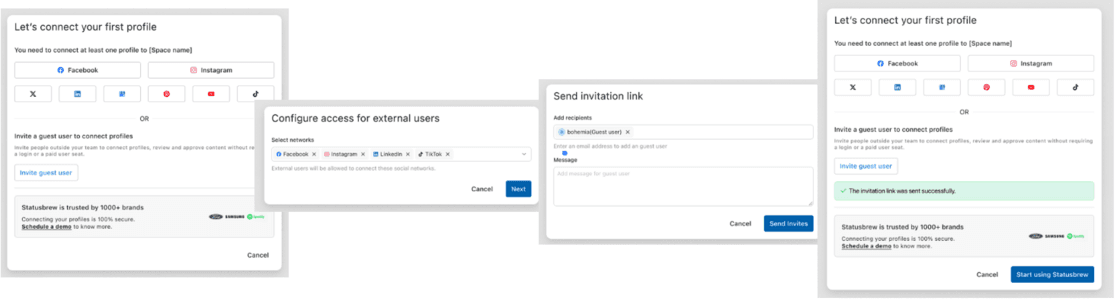
Guest users can view and approve posts via the link in the email invitation without needing to log in to Statusbrew.