ImprovementPlanner
Data Source Icons Now Displayed on Boards 🪧
Data source icons are now always visible on planner boards to indicate which data sources are selected. You can instantly see at a glance which data sources a board is associated with.
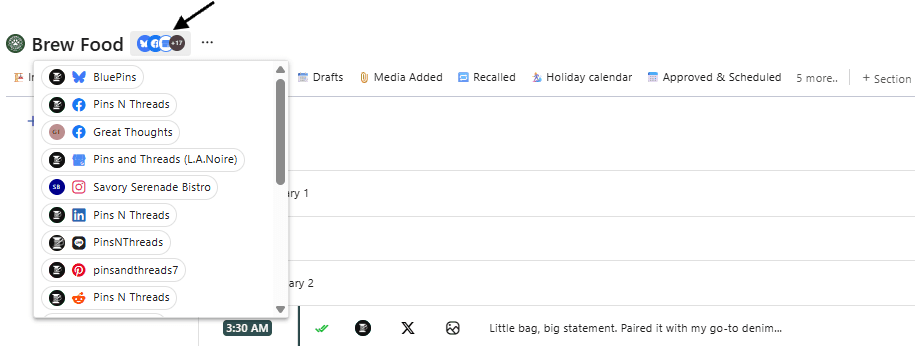
When there are many data sources, a badge such as "+3" will be displayed, and hovering over the icons allows you to view all selected data sources.